Introduction
Receive signal level is one of those technical-sounding terms that people often encounter when something stops working properly. It shows up in network settings, diagnostic screens, and service reports, especially when users experience slow connections, dropped calls, or unstable performance. In simple terms, receive signal level describes how well a device can pick up a signal from another source. Understanding it helps people make sense of why their internet, phone, or wireless system behaves the way it does in everyday use.
What Receive Signal Level Actually Means in Practical Terms
Receive signal level refers to the strength of a signal as it arrives at a device, not as it is sent. This difference is important. A transmitter can send a strong signal, but if that signal weakens along the way due to distance, obstacles, or interference, the receiving device may still struggle to interpret it clearly.
In practical terms, receive signal level answers a simple question how clearly can your device “hear” the signal it is receiving? When the level is strong enough, communication feels smooth and reliable. When it is weak, devices may still connect, but performance becomes inconsistent. Pages load slowly, audio breaks up, or connections drop without warning.
People often confuse receive signal level with overall signal quality, but the two are not the same. Signal quality also considers noise, interference, and stability, while receive signal level focuses specifically on how much usable signal power reaches the receiver.
Why Receive Signal Level Matters More Than People Realize
Receive signal level plays a central role in nearly every form of modern communication. From mobile phones and Wi-Fi networks to radio systems and industrial equipment, reliable data transfer depends on signals being received at usable levels.
When receive signal level is healthy, devices can process information with fewer errors. This means faster data transfer, clearer audio, and fewer interruptions. When it drops below a certain point, devices must work harder to fill in missing data, resend packets, or re-establish connections. That extra effort leads to delays, buffering, and instability.
Many performance issues that users blame on hardware faults or service providers are actually linked to fluctuating receive signal levels. Understanding this helps users troubleshoot problems more realistically and avoid unnecessary replacements or upgrades.
How Receive Signal Level Is Measured and Interpreted
Receive signal level is measured using standardized units that describe signal power. These measurements allow technicians, service providers, and even advanced users to compare signal conditions across different environments.
Common Units and Ranges Used to Describe Receive Signal Level
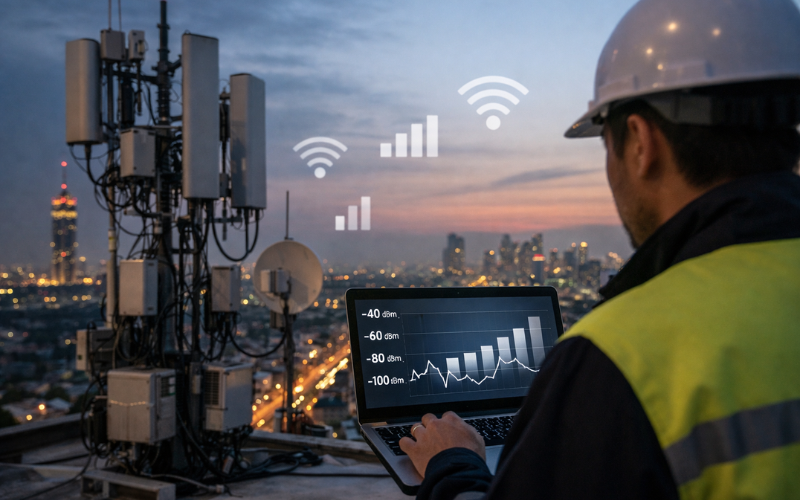
Most systems measure receive signal level in decibels referenced to a specific value, often written as dBm. This scale may seem confusing at first because the numbers are usually negative. A value closer to zero represents a stronger signal, while more negative numbers indicate weaker reception.
For example, a receive signal level around −50 dBm is generally considered very strong, while values near −90 dBm may result in unstable performance. These ranges are not universal, as acceptable levels vary depending on the technology and use case. What matters most is whether the receive signal level stays within a range that allows consistent communication without frequent errors.
Instead of focusing on exact numbers, most users benefit more from understanding trends. A stable receive signal level that remains consistent over time is often more important than a briefly strong signal that fluctuates constantly.
Factors That Directly Influence Receive Signal Level
Several real-world factors influence receive signal level, and many of them are outside a user’s direct control. Distance is one of the most obvious. As a device moves farther from the signal source, the received signal naturally weakens.
Physical obstacles also play a major role. Walls, buildings, trees, and even weather conditions can reduce signal strength before it reaches the receiver. Dense materials tend to absorb or reflect signals more than open spaces, which explains why reception often improves outdoors or near windows.
Hardware design matters as well. Antenna quality, placement, and orientation all affect how efficiently a device captures incoming signals. Even two devices using the same network can experience different receive signal levels due to differences in their internal components.
Interference is another major factor. When multiple signals overlap in the same frequency range, they compete with each other. This does not always reduce the raw receive signal level, but it can make the signal harder to interpret, which feels like weaker reception in practice.
Good vs Poor Receive Signal Level and What It Feels Like in Real Use
Most users do not think about receive signal level until something goes wrong. When the level is good, everything feels normal. Apps load quickly, calls sound clear, and connections remain stable even during heavy use.
Poor receive signal level feels very different. Small delays appear first. Videos pause unexpectedly, audio becomes distorted, and messages take longer to send. As the signal weakens further, devices may disconnect entirely or fail to reconnect without manual intervention.
One important point is that poor receive signal level does not always mean no connection. Many systems can operate at low signal levels, but performance degrades gradually rather than stopping instantly. This is why users often tolerate weak reception longer than they should, assuming the issue is temporary or unrelated.
Common Problems Linked to Low Receive Signal Level
Low receive signal level can cause a wide range of problems that appear unrelated at first glance. Understanding the connection between these symptoms and signal reception helps narrow down the root cause more quickly.
Typical Symptoms Users Notice First
The earliest signs are usually slow response times and inconsistent performance. A device may connect successfully but struggle to maintain that connection under load. Users may notice that problems worsen at certain times of day, when interference increases or environmental conditions change.
Dropped connections are another common symptom. When receive signal level falls below the minimum threshold needed for reliable communication, devices disconnect to avoid data corruption. Frequent reconnection attempts then create the impression of an unstable system.
In voice or video communication, low receive signal level often results in broken audio, frozen images, or noticeable delays. These issues are especially frustrating because they interrupt real-time interaction and are harder to ignore than slow downloads.
Ways People Commonly Improve or Stabilize Receive Signal Level
Improving receive signal level does not always require complex changes. In many cases, small adjustments make a noticeable difference. Moving a device closer to the signal source or reducing physical barriers can significantly improve reception.
Repositioning equipment is another common approach. Even small changes in antenna placement or device orientation can improve how signals are received. This works because antennas are often directional, even when they appear symmetrical.
Reducing interference also helps stabilize receive signal level. Turning off unused devices, changing operating locations, or adjusting usage times can minimize competition between signals. In professional environments, careful planning of signal paths and equipment placement is often the most effective long-term solution.
Conclusion
Receive signal level is a quiet but essential part of how modern communication works. It influences speed, clarity, and reliability across a wide range of devices and systems. By understanding what receive signal level means and how it affects real-world performance, users can better diagnose problems, make informed adjustments, and avoid unnecessary frustration. Rather than being a purely technical concept, receive signal level is a practical indicator of how well devices connect and communicate in everyday life.
FAQs
1. What is considered a good receive signal level?
A good receive signal level depends on the system being used, but generally it is strong enough to allow stable communication without frequent errors or disconnections. Consistency matters more than peak strength.
2. Can receive signal level change throughout the day?
Yes, receive signal level can vary due to environmental changes, increased interference, or shifting usage patterns. This is why performance may feel worse at certain times even when equipment remains the same.
3. Is receive signal level the same as signal strength?
They are closely related but not identical. Signal strength usually refers to transmitted power, while receive signal level focuses on how much of that signal actually reaches the receiving device.
4. Why does receive signal level drop even when equipment looks fine?
External factors such as obstacles, interference, or distance often affect receive signal level without any visible change to the equipment itself.
