Introduction
An orange smudge on MacBook Pro screen can be worrying, especially if it appears suddenly or grows over time. In many cases, it is linked to screen pressure, heat, moisture, or internal display issues. This guide explains what the orange smudge means, why it happens, how to check the cause, and what steps you can take next. The goal is to help you understand the problem clearly and make the right decision.
What an Orange Smudge on MacBook Pro Screen Really Means
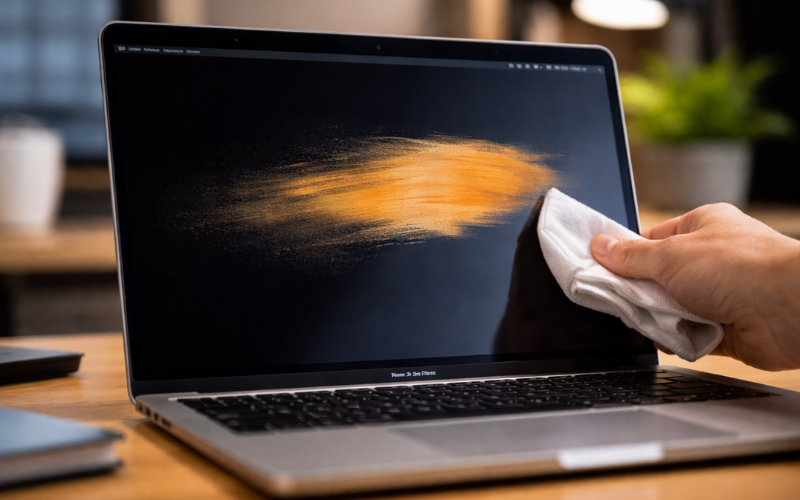
An orange smudge on a MacBook Pro screen usually looks like a soft, warm-colored stain or patch. It may appear in one corner, near the edges, or in the center of the display. Sometimes it is small and faint. Other times, it can grow larger or become more visible against light backgrounds.
In most situations, the orange smudge is not a software issue. It is often related to the physical display panel. The smudge may not affect how the computer works, but it can impact screen clarity and overall viewing experience. Understanding what it means helps you decide whether it can be fixed at home or needs professional repair.
Common Visual Signs and How It Appears on the Display
An orange smudge on MacBook Pro screen may appear as:
- A soft orange or yellow patch
- A warm tint in one area of the screen
- A stain-like mark that does not disappear
- A spot that is more visible on white or light backgrounds
It usually stays in the same place and does not move with the content on the screen. This is an important sign that the issue may be related to the display itself.
Main Causes of an Orange Smudge on MacBook Pro Screen
There are several possible reasons for an orange smudge on MacBook Pro screen. Identifying the cause is important because each reason requires a different solution.
Pressure Damage from the Keyboard or Objects
One of the most common causes is pressure on the screen. When the laptop is closed with objects inside, or when heavy items press against it in a bag, the display can become damaged. Even small pressure over time can affect the internal layers of the screen and create discoloration.
Liquid or Moisture Exposure
Moisture can also cause screen discoloration. If water, cleaning liquid, or high humidity reaches the display area, it may leave marks inside the screen layers. Even small amounts of liquid can affect the internal components.
Display Panel Issues (LCD or Mini-LED)
Modern MacBook Pro models use advanced display technology. If the internal panel develops a fault, it may show color changes or uneven areas on the screen. This can happen due to manufacturing defects, age, or internal wear.
Heat-Related Screen Changes
Excess heat can affect screen performance. If a MacBook Pro is used for long hours in hot environments, or if ventilation is blocked, the display may experience temporary or permanent changes. Heat can influence screen layers and cause color shifts.
Software vs. Hardware: How to Tell the Difference
It is important to understand whether the orange smudge is caused by software or hardware. In rare cases, display color settings or system errors may create unusual color effects. However, if the smudge remains visible after restarting the device, it is usually a hardware issue.
How to Check If the Problem Is Physical or Software-Related
Before assuming the worst, it is helpful to perform a few simple checks.
Simple Restart and Display Test Steps
Restart the MacBook Pro first. Sometimes temporary display glitches can disappear after a reboot. After restarting, observe whether the orange smudge is still visible.
You can also connect the laptop to an external monitor. If the external display looks normal, this strongly suggests that the problem is inside the MacBook Pro screen itself.
Using Different Background Colors to Confirm the Issue
Open a plain white background, then try a black or gray background. Notice whether the smudge changes or remains the same. Physical screen damage usually stays visible regardless of the background color.
Quick Fixes You Can Try at Home
While many orange smudges require repair, there are still a few steps you can try safely.
Cleaning the Screen Safely
Use a soft, dry microfiber cloth to clean the screen gently. Avoid strong chemicals or excess water. Sometimes surface stains can look like internal smudges, so careful cleaning may help rule out external dirt.
Checking for External Pressure or Accessories
Make sure there is nothing pressing against the screen when the laptop is closed. Remove keyboard covers, thick screen protectors, or objects stored inside the laptop bag.
Adjusting Display Settings
Check brightness, color profiles, and display settings. Although these settings do not usually cause orange smudges, adjusting them can help confirm whether the issue is software-related.
Resetting System Settings (When Needed)
In some cases, resetting certain system settings may help resolve minor display glitches. However, this step is only useful if the problem is not caused by physical damage.
When the Orange Smudge Is a Serious Hardware Problem
If the orange smudge on MacBook Pro screen remains after testing, it is likely a hardware issue.
Signs That Indicate Screen Damage
Common signs include:
- The smudge does not disappear after restart
- The mark stays in the same place
- The color spreads over time
- The issue is visible on all backgrounds
These signs suggest internal display damage.
When Professional Repair Is Necessary
If the smudge affects visibility or continues to grow, professional repair is recommended. Attempting to open or fix the screen yourself may cause more damage. It is safer to consult a trained technician.
Warranty and Apple Support Considerations
If your MacBook Pro is still under warranty, check the coverage details. Some types of screen damage may be covered, depending on the cause. Contact official support to understand your options.
Repair Options for an Orange Smudge on MacBook Pro Screen
Once you confirm that it is a hardware issue, you have several repair choices.
Apple Store or Authorized Service Provider
Visiting an official service provider ensures that genuine parts are used. Technicians can diagnose the display and confirm whether a replacement is needed.
Screen Replacement Overview
In many cases, the solution for an orange smudge on MacBook Pro screen is full screen replacement. Modern MacBook displays are designed as integrated units, so repairing internal layers separately is usually not possible.
Repair Cost Factors to Expect
Repair costs may depend on:
- The MacBook Pro model
- Warranty status
- The type of damage
- Local service pricing
Older models may cost less to repair, while newer models can be more expensive.
How to Prevent Orange Smudges in the Future
Prevention is important to protect your device.
Proper Cleaning Methods
Use only soft microfiber cloths. Avoid strong liquids. Clean gently and regularly.
Avoiding Pressure on the Screen
Never close the laptop with objects inside. Avoid placing heavy items on top of it. Handle the device carefully when opening and closing.
Safe Storage and Transport Tips
Use a protective sleeve or bag when carrying your MacBook Pro. Keep it in a safe place where it cannot be bent or pressed.
Protecting the MacBook from Heat and Moisture
Avoid leaving the device in hot cars or humid environments. Keep it away from water and liquids.
Conclusion
An orange smudge on MacBook Pro screen is usually a sign of display-related damage rather than a simple software issue. It may result from pressure, liquid exposure, heat, or internal panel problems. By carefully checking the issue, you can understand whether it is temporary or requires professional repair. Early action helps prevent further damage and protects your device. If the smudge does not go away after basic testing, contacting an authorized repair service is the safest next step.
FAQs
1. Why does my MacBook Pro screen have an orange smudge?
An orange smudge on MacBook Pro screen is usually caused by pressure damage, moisture exposure, heat, or internal display issues.
2. Can an orange smudge on the screen go away on its own?
In most cases, no. If it is caused by physical damage, it will not disappear without repair.
3. Is an orange smudge covered under warranty?
It depends on the cause and your warranty terms. Contact official support to confirm whether your situation is covered.
4. How much does it cost to fix an orange smudge on a MacBook Pro screen?
The cost varies based on the model and repair provider. In many cases, it may require full screen replacement, which can be expensive.
